
Features | DealRoom Capability Catalogue
Every capability
What DealRoom actually does, group by group.
DealRoom is built from six connected capability groups. Together they let you run a private transaction from first introduction to completion without exposing the parties' private contact details or losing track of what still needs to happen.
Controlled identity
Everyone knows who they are speaking to, without learning who they are.
A deal introduction usually leaks the one thing an introducer has a right to protect: who is talking to whom. Put two parties in a normal group chat and their phone numbers, emails or usernames go with them — permanently, whether or not the deal proceeds.
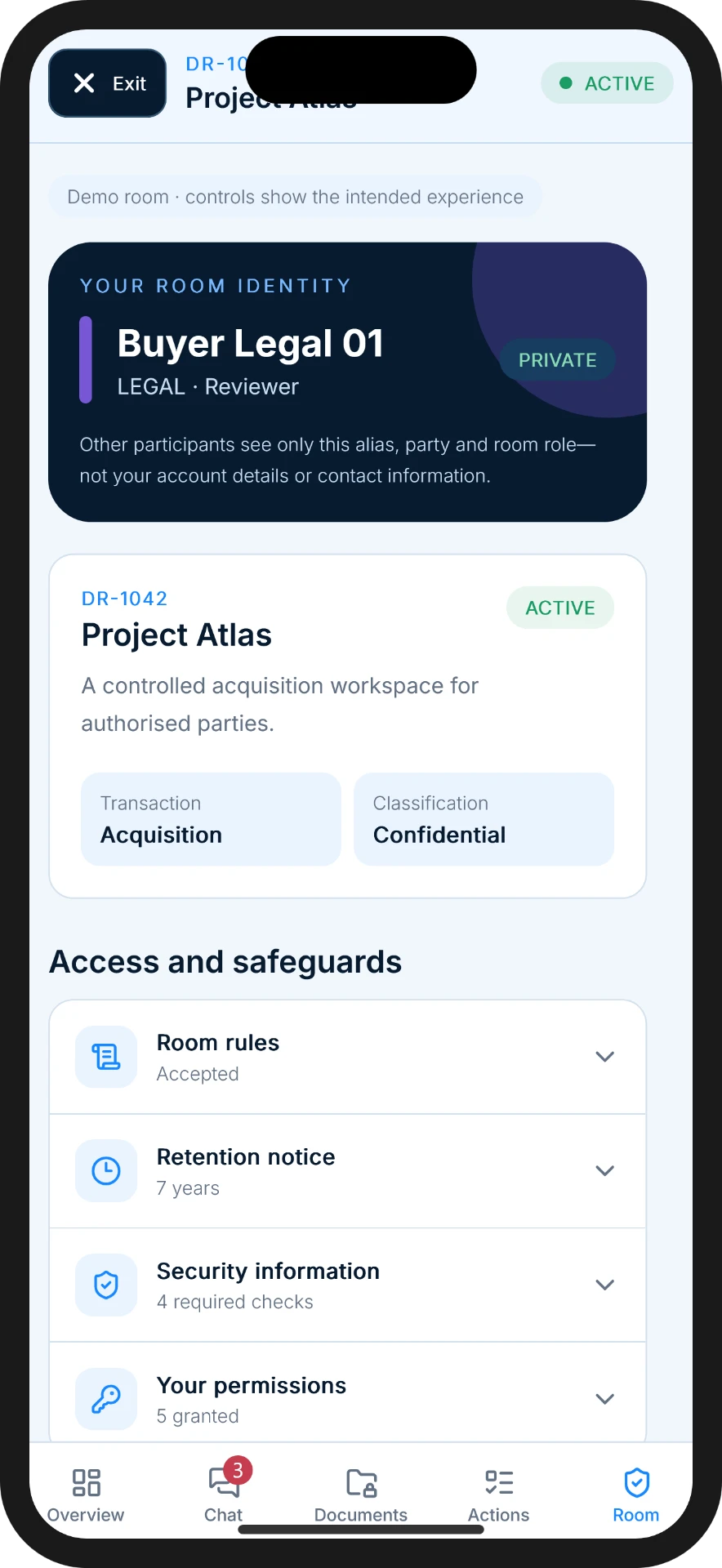
DealRoom separates identity from access. The administrator sets every alias — they are fully customisable, so a participant can be "Buyer 01" or whatever label suits the deal — and each one carries a colour and a custom tag marking which side that person sits on. Everyone can see who they are speaking to and where they stand, without a number they could dial once the room closes or a name they could search for outside the transaction.
- Room-specific aliases
- Private account-to-alias mapping
- No public profiles
- No participant user search
- Party labels and colours
Room-only communication
One shared conversation, with the administrator present throughout.
Most confidentiality failures in a private transaction don't happen in the room — they happen the moment someone takes the conversation private. A consumer messaging app has no concept of a shared, accountable room; it only has direct messages.
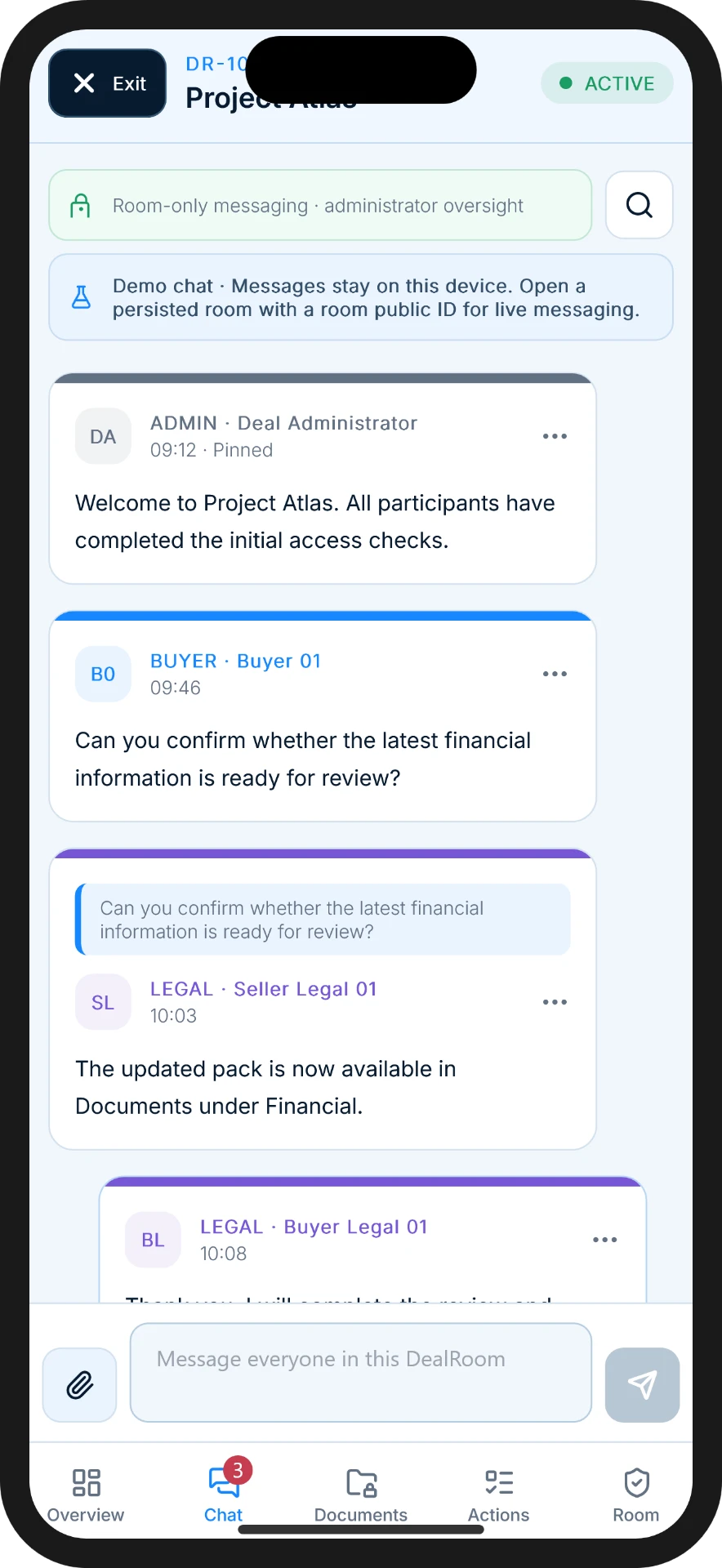
DealRoom's messaging is built the other way round. Every authorised participant can speak into one shared conversation, tagged with their party and alias, with the room administrator present throughout. There is no built-in route for one participant to message another directly — so the record of who said what stays where the deal lives.
Contact details are blocked at the point of typing. If a participant writes a telephone number or email address into a message, DealRoom warns them as they type and prevents the message being sent, so it never lands in the room. Where a transaction genuinely calls for details to be exchanged, the administrator can override the control.
- Shared group conversation
- No participant-to-participant DMs
- Administrator announcements
- Replies and message context
- Contact-detail screening
- Moderation and reporting
Documents
The current version, visible only to the parties permitted to see it.
Deal documents rarely stay put. They get forwarded, re-attached, and re-sent as "final_v3" until nobody is sure which version anyone is looking at, or who has seen the confidential ones.
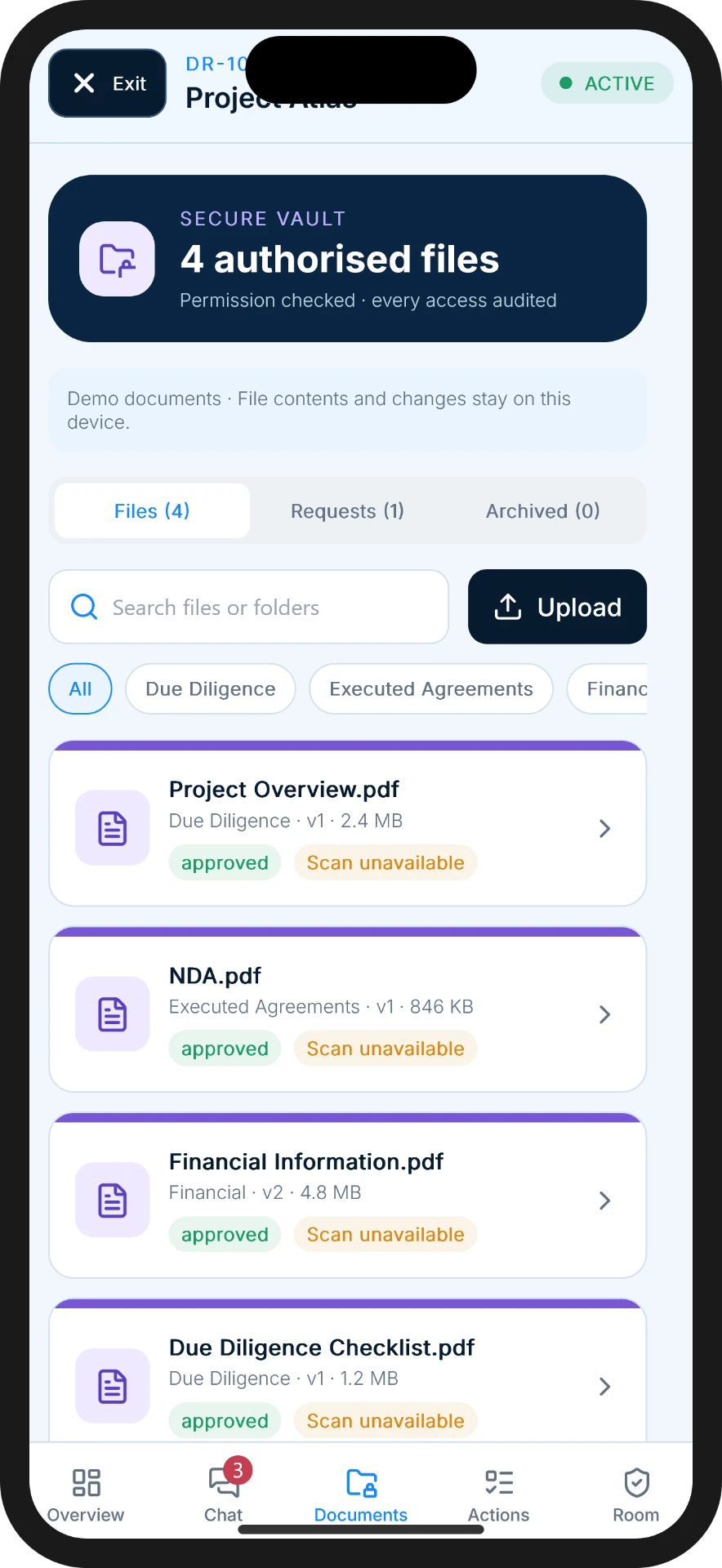
DealRoom keeps every file in one private vault, with visibility set at room, side or individual level. A financial statement can be shared with the buyer and their legal team while staying invisible to everyone else in the same room, and every upload, request and approval is recorded against the transaction rather than an inbox.
- Private document vault
- Visibility by room, party or participant
- Upload and download controls
- Version history
- Requests and acknowledgements
- Audit trail
Agreements
Put the protections in place before confidential access is granted.
An NDA that gets signed after the sensitive information has already been shared has not done its job. The protection has to exist before access does, not as a formality that catches up afterwards.
DealRoom lets an administrator gate confidential room access behind a required agreement, with e-signature built into the same workflow. Nobody sees the documents or joins the conversation until the agreement is executed, and the signed copy is stored against the room for as long as it's needed.
- NDA and other agreement access gates
- Embedded e-signature workflow
- Signature status
- Executed agreement storage
- Reminders
Actions
Everything the transaction still needs, visible and accountable.
Transactions stall for the same reason every time: nobody agrees what's still outstanding, or who owns it. That ambiguity is where deals quietly die between the handshake and completion.
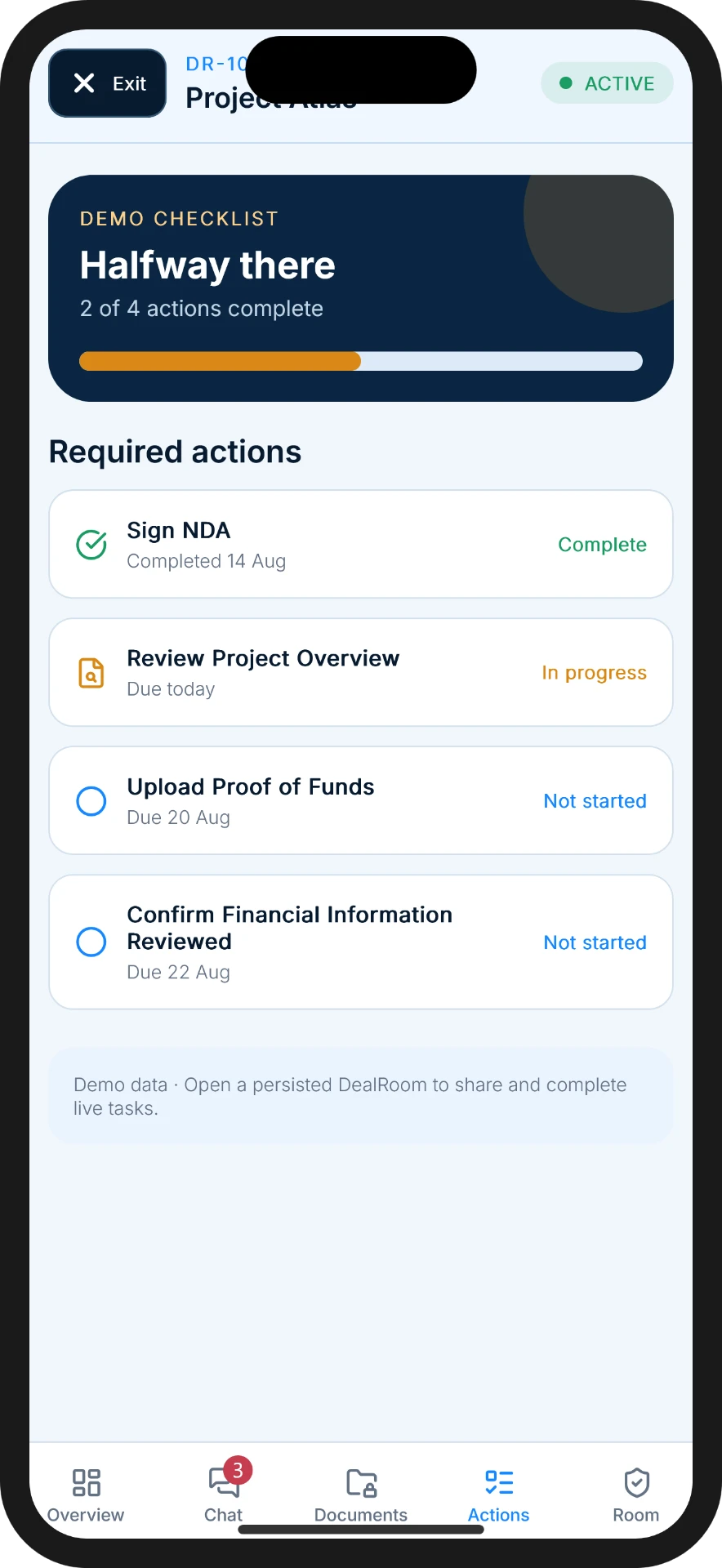
DealRoom turns the remaining work into a visible list — required tasks, due dates, proof-of-funds requests and review sign-offs — attached to the room rather than to somebody's memory. Everyone can see what's done, what's pending and what's blocking progress.
- Required tasks
- Due dates
- Review requests
- Proof-of-funds requests
- Progress tracking
- Completion evidence
Administration
The controls that keep the room yours.
Whoever creates the room carries the responsibility for it — for who's inside, what they can see, and what happens if something goes wrong. That means the administrator needs real controls, not just a chat they happened to start.
DealRoom gives the administrator invitations, alias assignment, party colours, granular permissions, the ability to freeze or close a room, and audit records covering the life of the transaction. Export capabilities mean the record doesn't disappear when the deal is done.
Invitations work two ways. Send a secure invitation to a participant's email address, or issue a unique join code for anyone who would rather not disclose an email at all — useful where the counterparty is a high-profile principal, a diplomatic or government party, or simply someone whose contact details are sensitive. Either route, the alias, gates and permissions you've set still apply.
- Invitations by email or unique join code
- Aliases
- Party colours
- Permissions
- Room freeze and closure
- Audit records
- Export capabilities
Everything required to move a private transaction forward — without turning the room into a contact exchange.
Open the conversation. Keep control of the introduction.
Bring every authorised party into one professional transaction environment without exposing private contact details or creating hidden in-app side channels.
Submitting this form does not create a DealRoom account. Accounts are created securely inside the mobile app.